Calculation methods
Calculation methods
Most charts allow you to select the calculation method. The nice calculation methods are:
- Average: Average value of the selected field.
- Count: Number of records (rows).
- Count (unique): Number of records (rows) but removing duplicates (depending on the fields selected).
- First: Returns the first value based on the selected sorting criteria. You must also select the field that will be used to sort the records. The system will then return the first value according to the specified sort order.
- Last: Returns the last value based on the selected sorting criteria. You must also select the field that will be used to sort the records. The system will then return the last value according to the specified sort order.
- Maximum: Returns the largest value from the selected records.
- Minimum: Returns the smallest value from the selected records.
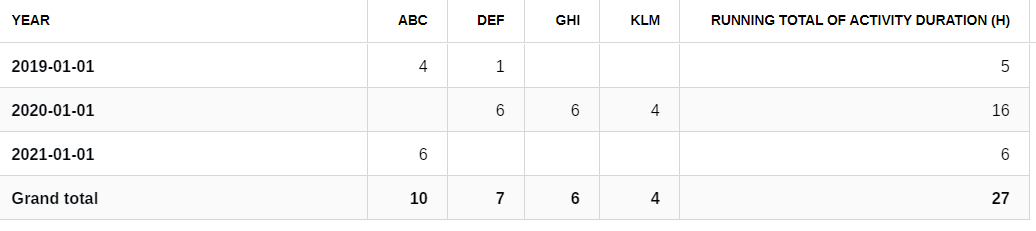
- Running total: Sum of the selected field (cumulated over time).
- Sum: Sum of the selected field.
Note: The availability of the First and Last calculation methods depends on the visualization type.
- In Charts, First and Last can only be applied to numeric fields.
- In Pivot Tables, First and Last can be applied to both numeric and text fields.
Examples

Using the dataset presented above, you could do the following calculations:
| Average |
|
| Count |
|
| Count (unique) |
|
| First |
|
| Last |
|
| Maximum |
|
| Minimum |
|
| Running total |
|
| Sum |
|