
Customize indicator labels
Customize indicator labels individually
When creating a new logframe, or editing the current logframe, if the feature is enabled in your account, you will see the Customize indicator levels checkbox.
This new feature allows you to rename indicators, making your logframe more flexible and better aligned with your project structure.
Please note that the feature is only available if the setting is enabled in the advanced settings.
How to enable custom indicator labels
- Click on the Logframes module from the left menu
-
Click on the “+” icon next to Logframes:


You can also edit an existing logframe by clicking the Edit button next to the Logframe:

-
Check “Customize indicator labels individually”
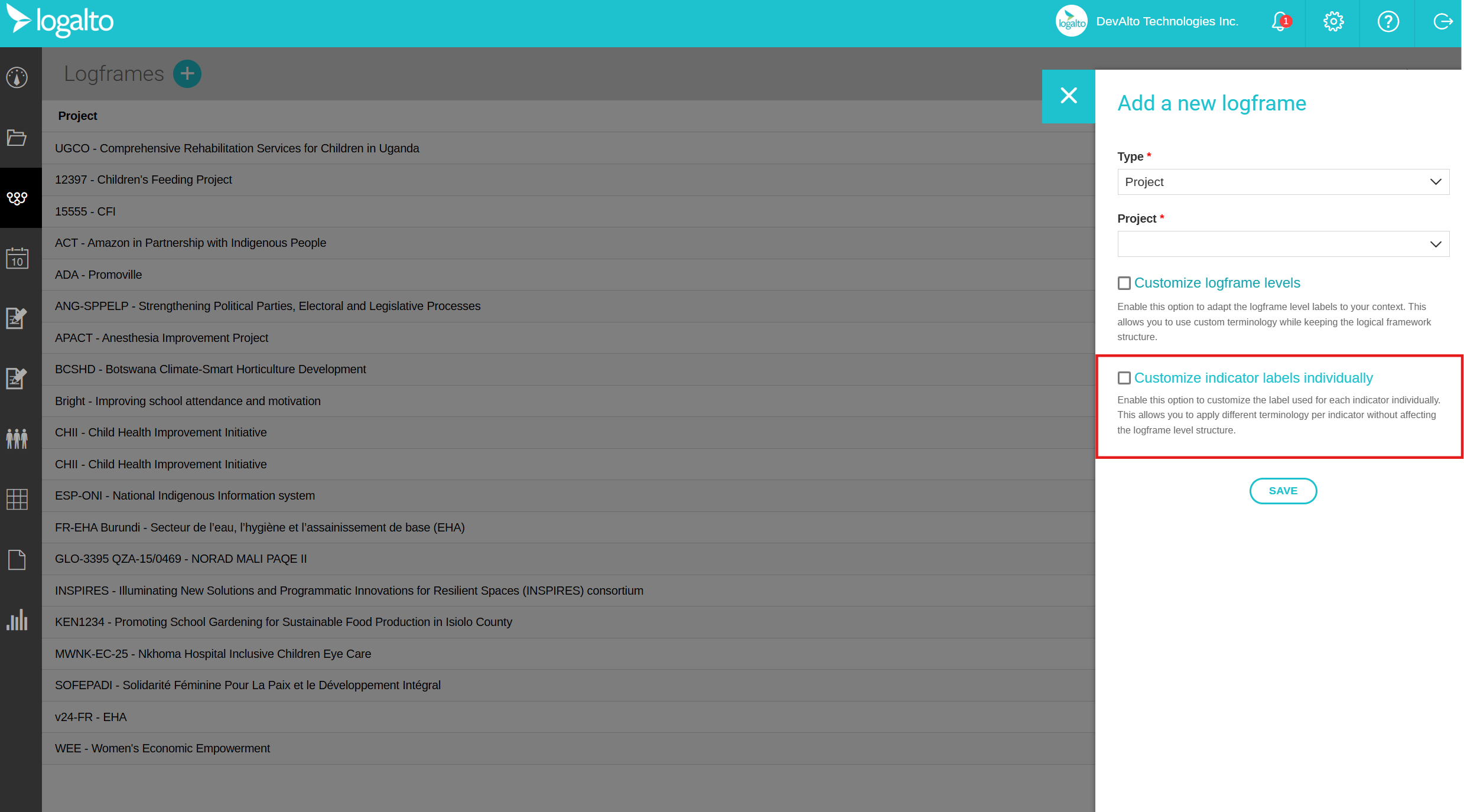
After enabling this option:
- You will be able to modify the custom indicator label when creating or updating an indicator.
- For example, you can rename an indicator to “Sub-activities” and use it accordingly in your logframe.
This makes it easier to adapt your logframe terminology to your internal methodologies.

Here, you can see an indicator that is now named “Sub-activities”, but still functions like a standard indicator:
